From Observer to Participant: Deconstructing a UbiSim Clinical Scenario
See how VR simulation enhances clinical judgment. Learn to integrate scenario-based learning, boost engagement, and bridge classroom learning with real-world practice.

Inside the Webinar
This webinar offers an interactive exploration of a UbiSim virtual reality simulation through a step-by-step, deconstructed format. Participants will engage with scenario-based video segments, assume the role of the learner, and actively apply clinical reasoning at key decision points.
Watch the recording to learn practical strategies for incorporating interactive simulation into your curriculum, as well as a clearer understanding of how experiential learning can improve student readiness and confidence.

Heading 1
Heading 2
Heading 3
Heading 4
Heading 5
Heading 6
Lorem ipsum dolor sit amet, consectetur adipiscing elit, sed do eiusmod tempor incididunt ut labore et dolore magna aliqua. Ut enim ad minim veniam, quis nostrud exercitation ullamco laboris nisi ut aliquip ex ea commodo consequat. Duis aute irure dolor in reprehenderit in voluptate velit esse cillum dolore eu fugiat nulla pariatur.
Block quote
Ordered list
- Item 1
- Item 2
- Item 3
Unordered list
- Item A
- Item B
- Item C
Bold text
Emphasis
Superscript
Subscript
Today's session is a little different from your typical webinar that we host, and I think you're going to see that pretty quickly. Rather than talking about simulation, we're going to put you inside one.
You'll step into the role of the learner, walk through a real UbiSim clinical scenario, and engage with the kinds of decisions that your learners face every day.
To guide you through that experience, I'm joined by two incredible nurse educators. First, Debra Loop, known to us as Debbie. Debbie is a nurse educator at UbiSim. She has over thirty years of experience in nursing education and over eighteen years specializing in simulation.
She holds a doctor of nursing practice in educational leadership and is both a certified nurse educator and a certified healthcare simulation educator. And she has spent eleven years as an international simulation and technology consultant for nursing programs in Thailand.
At UbiSim, Debbie creates immersive VR scenarios, one of which you will experience today.
Welcome, Debbie.
And joining her is Hayley Conner, a registered nurse and nursing educator with experience teaching across RN and LPN programs in classroom, simulation, clinical and lab settings.
Hayley holds a master's in nursing education and a doctorate in higher education leadership. And in her role as nursing simulation customer success manager at UbiSim, she works closely with our nursing institution partners to help them get the most out of simulation in their programs.
Welcome, Hayley. Over to you, Hayley and Debbie.
Alright. Thanks, Tracy, and welcome, everybody. And sorry if I'm a little bit hoarse today. But today's session is designed to walk you through a UbiSim simulation from start to finish. We'll start with the pre-briefing, moving through the simulation experience itself, and concluding with debriefing. Now, as we go through each phase, our goal is not only to show you what a simulation will look like, but to highlight how each component plays a critical role in developing clinical judgment, building confidence, and preparing students for real world practice.
And throughout our session, we encourage you to think from the perspective of your learner. Consider how you would respond in each moment, what decisions you would make, and how you would prioritize care while staying within the scope of the RN. And we'll pause at some key points to reflect on what's happening, why it matters, and how you will apply this approach within your own program.
All right. Before we jump into the simulation, I want to take a step back and talk about something we hear all the time from educators and something I've experienced myself while teaching. Students are coming into the clinical with the knowledge.
But when it comes to applying that knowledge in the moment, especially when they're under pressure, that confidence and clinical judgment just aren't fully there yet. And that makes sense. A lot of traditional methods like lectures, case studies, even observation are important, but they don't really recreate what it feels like to be responsible for patient care in real time.
So it leaves us with a real challenge on how do we give students enough practice, not just once, but repeatedly, and in a way that actually builds those skills before they're in a high stakes environment?
And that is where UbiSim comes in. At its core, UbiSim is immersive VR simulation, and it's designed by nurses for nurses.
Learners are going to be placed inside a realistic clinical environment where they must assess, prioritize, and communicate in real time with patients across the lifespan. So it's not just technology for technology's sake, but it's built to strengthen clinical confidence and clinical judgment, the foundation of safe nursing practice.
UbiSim is NCLEX and INACSL-aligned, and we are designed to support that clinical judgment framework and boost NCLEX readiness.
When we think about the bigger picture, VR simulation really supports the entire learning continuum, not just one phase of education.
At the prelicensure level, it allows programs to train more students at a higher level of quality without being limited by clinical site availability or faculty constraints.
Students can use simulation to reinforce lecture content in preparation for clinical experiences in place of clinical hours and for remediation of concepts.
As students transition into practice, scenarios can be used to prepare them for their new role as a clinician.
Evidence shows new graduates are more confident and better prepared to enter the workforce when they experience VR simulation education.
This can lead to higher retention and fewer early career departures.
It doesn't stop there, however. VR simulation can play a role in ongoing development, giving nurses the opportunity to continue building skills over time, which ultimately supports long-term retention and overall workforce stability. So this isn't just about education. It's about strengthening the entire pipeline from student to experienced clinician.
Pre-briefing resources can be shared with learners ahead of the simulation, including learning objectives, as you can see on the screen, and materials they typically find in a patient chart like medications, labs, x-rays, and other supporting documents. And you can tailor how these are used based on your students' level of learning. So for example, newer students, this can be guided this can be a guided review to become familiar with medications and expected labs. But for those more advanced learners, you might want to start off with just the SBAR and have them independently review the chart to mirror that real clinical practice and strengthen their clinical judgment.
So before we get into the simulation, we're going to spend some time pre briefing. So students are presented with the patient's information in an SBAR format. So let's begin with the scenario introduction.
Our situation is we have an eighty year old female named Lucille Boughman. She is admitted overnight to the medical surgical floor after presenting to the emergency department with a week long bout of intermittent metabolic and diarrhea.
The last three days, she has experienced bloating, nausea, and vomiting, and has not tolerated oral intake, including her medications.
Imaging confirmed that she has a partial adhesive small bowel obstruction, which is being medically managed during her admission.
Her admission workup included an abdominal CT scan and a flat upright abdominal X-ray.
As far as her background, she has a history of hypertension, hyperlipidemia, diabetes mellitus type two, and coronary artery disease. She is on a number of medications that are listed on the slide for you. She's widowed, has two adult children, a son and a daughter. She also has a living will, and she has the legal order for a do not resuscitate.
Now a little background as far as her assessment.
Her four AM vitals are listed on the slide for you. She remains NPO. She's alert and oriented. She does have a twenty gauge double lumen peripheral IV in her left antecubital fossa, and that is running normal saline at a hundred and sixty seven milliliters per hour. She has hyperactive bowel sounds in both the right and left upper abdominal quadrants. Her abdomen is firm, distended, and her last abdominal circumference was a hundred and ten point six centimeters.
She is describing her pain as intermittent, cramping, and periumbilical.
At three in the morning, she vomited three hundred milliliters of yellow green emesis. She was administered Zofran at that time.
At 0400, she voided four hundred and eighty milliliters of amber urine.
At five, she received morphine two milligrams IV for a pain level of seven out of ten.
It is now seven in the morning, and the surgeon was just in to see Lucille.
Her morning labs were drawn at 0600, but they were not available for the surgeon to view during his visit.
So you are about to enter the room.
You are to conduct a morning nursing assessment of the patient and implement the provider's orders.
You're also to notify the provider of abnormal lab results and any changes in the patient's condition.
So let's begin the simulation.
Hello. How are you today?
Hello.
My name is Debbie. I'm going to be your nurse today.
Can you tell me your full name?
My name is Lucille Boughman.
And what is your date of birth?
My birthday is October 21.
Okay. And, Lucille, do you have any allergies?
I'm allergic to penicillin.
Penicillin. Okay.
So it looks like your heart rate is one zero four, so it's a little fast.
Respiratory rate is good at twenty.
Your oxygen's at ninety seven, so it looks like you're breathing well.
And your blood pressure is one forty four over eighty four.
So as we start the scenario, you'll notice Debbie introducing herself and take the patient's vital signs. And this may seem simple, but for students, it's a critical opportunity to build their confidence and establish rapport as well as collecting accurate data.
I have often seen students become very nervous, and they jump straight into tasks without even speaking to the patient. And this moment will reinforce the importance of slowing down, communicating first, and setting the foundation for safe patient centered care.
Now before we jump in, let's put you in the role of the learner. You could go ahead and put your answers in the chat, but what assessment findings do you anticipate for a patient with a small bowel obstruction?
And we can resume the scenario.
Are you feeling nauseous?
I have nausea and vomiting.
Do you? Okay.
I'm gonna go ahead and give you a bag. So if you feel sick to the stomach, you can use it and vomit into it. Okay? Thank you. Can you tell me about the pain that you're having?
I have cramping pain that comes and goes.
Is it all over your belly?
My pain starts in the middle of my belly and moves outward.
Okay. And if you had to rate that on a scale of zero to ten being the worst pain ever, how would you rate it?
Oh, my belly pain is now a seven out of ten.
Okay.
So let me see if you can have some pain medicine, and we'll go ahead and get that on board. Okay?
When Debbie identifies the elevated blood pressure, as well as the patient's pain, this is where students can practice that clinical judgment. So instead of just recording their vitals, they'll learn to connect the data and recognize their pain as a possible cause and prioritize their interventions.
Now you can do something similar to what we're doing in the webinar with pauses.
Within your simulation, you could pause and ask, what's causing this change, and what should I do first? And that can help them build their critical thinking skills that are needed for both their clinicals as well as their NCLEX. And we'll continue.
Okay.
Here's that bag I was telling you about that you can use if you feel sick to the stomach.
I'm going to go ahead and get your temperature while you're sitting there, and that is one hundred point four. Okay? So that's good.
I'm going to go ahead and look in your eyes.
Alright. And they're brisk and reactive, so that's good.
Are you okay if I remove your gown so I can listen to your heart and lungs?
Yes.
Alright.
Listen over your neck.
And I don't hear anything. That's good.
Listen over your heart.
That sounds good. I don't hear any murmurs.
It's a little fast, like I said.
Have you take a big breath in and out.
In and out.
Alright. Thank you.
So you vomited a hundred and fifty milliliters of greenish yellow emesis.
Do you feel better after you throw up?
A little.
A little. Okay. I'm gonna listen to your belly.
Your bow sounds sound a little hyperactive at the top.
Little slower at the bottom.
Alright. I'm gonna go ahead and feel your pulses.
They feel nice and strong on both sides.
And while I'm down here, I'm just gonna check for pitting edema, and it looks like you do not have any, so that is good.
Gonna measure your capillary refill as well.
Looks like they're at two seconds, so that is good.
Gonna palpate your belly.
Does this hurt?
A little. A little.
K. You're softer on your left side and a little harder on the right.
Alright.
Also, to feel your skin just to make sure that it's warm, looks feels equal throughout.
Okay. Good. Alright.
Gonna go ahead and put your gown back on then. Okay?
I do have to check your blood sugar because you're diabetic. Right?
Yes. Okay.
So let's check this, and we're gonna wipe this and check your sugar.
253.8, so we'll say 254.
Alright. Now during the assessment, the students will note that there are hyperactive bowel sounds in the upper quadrants and hypo in the lower along with a distended abdomen, nausea, vomiting, and an elevated temperature.
Cardiac and respiratory findings are within normal limits, and this will help the students focus their clinical judgment by identifying that this is primarily a GI issue. So we're going to recognize that those systems are stable and that they don't require an immediate intervention. We can continue.
Alright.
So let me look at your orders.
You have your IV. It's running normal saline. It's running at 167.
And how is your arm where the IV is running? Does it hurt?
My IV arm does not hurt.
Okay. Good.
And you're nothing by mouth, so you're not able to eat or drink.
So let's go ahead and look at your medicines.
You're scheduled for some hydralazine this morning, and we're gonna put that in your IV, and that is for blood pressure.
It's twenty milligrams.
Alright. And we're also going to flush that first.
So let me scan your band, and let me scan the saline.
And we'll wipe this, and we'll flush it with some saline. Does that burn?
No. Okay. Good.
Alright. So now we're gonna go ahead and do the hydralazine ten milligrams.
Let me wipe this again.
We're gonna see if we can give you something for your nausea and vomiting.
Alright. So we gave the hydralazine.
We're gonna now it looks like you get insulin. Two fifty four is six units.
So let's go ahead and do that.
Get our six units.
Regular insulin.
Are you okay if I give it in your arm?
Yes.
Alright.
K.
If you start to feel shaky, you let me know. Okay? We might have to check your sugar again.
Let's look about nausea.
Alright. You had nausea medication at three o'clock, and it's only seven right now. And that's too early, so I can't give you anything for that. But I can go ahead and give you your morphine for your pain. Okay?
So let's go ahead and do that.
Grab an alcohol. Get another sodium flush.
Alright.
Alright. We did that.
Now we're gonna go ahead. You get morphine two milligrams. So let's do that.
And wipe this off again, and we'll give you your morphine.
Alright. Somebody's calling us.
Now when administering medications, the students are going to be prompted to think beyond the task and consider the correct rate and safety implications. And this is going to reinforce checking orders, understanding the medication, and ensuring it's giving given appropriately. This will help them build safe, intentional habits that they can carry into simulations and real clinical practice. And as you can quickly realize, the provider the provider will be calling us to give a set of orders.
And go ahead in the chat again, what would you expect that order set to look like? And we can resume.
So let me get the phone.
Hello. Hello.
This is doctor Arnaud. I just spoke with the surgeon, and we both agree that we're going to treat missus Baumann's small bowel obstruction medically.
We will monitor her closely, and if she does not show improvement in the next twenty four to forty eight hours, we will consider surgical interventions.
Alright. Well, thank you. I will look for that order set, and if I have any questions, I'll call you back. Thank you.
Alright. So let's look at your order set.
They ordered a Foley catheter. They want your INO every two hours.
I need to measure your belly before and after. And we're going to put a tube in your nose that goes down to your stomach to help decrease your nausea and vomiting.
Also looks like they want to change your IV fluid and they want to add potassium. So let me look at your lab results and see if your potassium is low.
Yes.
It Alright.
Now within UbiSim, as you can see on the demo, we actually provide access to labs and supporting documents within the scenario, giving the students a more complete patient picture. This will allow them to connect clinical findings with objective data just like in real practice. Now in simulation, these resources will help learners validate their assessment, prioritize care, and make more informed decisions, strengthening their clinical judgment and preparing them for real real practice as well as NCLEX style thinking.
And you can go ahead and resume.
It is 3.3.
Alright. So let's go ahead and switch out your IV fluid and give you some potassium. So I'm gonna go ahead and stop this.
Gonna pull this out, throw this away.
Let me scan your band again and find this IV. Here we go.
This is normal saline with twenty of potassium.
So we're going to hang this.
Set this at one sixty seven. It's the same rate. Let me get some alcohol. Wipe this.
And then let's connect this back up.
And we will submit and start. Now if that IV starts to burn or hurt, please let me know.
Alright.
Think everything's done there, so let's go back.
Alright.
I'm gonna go ahead and take your gown off.
Okay. And I'm gonna measure your belly.
It's one twenty point six centimeters. Okay. So that was before we put the tube in.
And now I'm gonna go ahead and put this NG tube in. Have you ever had an NG tube before?
No. No. Okay. So this tube is gonna go in your nose down into your stomach, and then we're going to connect it to suction and it's going to pull out all those secretions in your belly. That should help with the nausea and vomiting and make you feel better.
Okay?
Okay.
Alright. So I'm going to put this in.
It's at fifty five centimeters. It's secured to the nose, we confirmed placement.
So now I'm gonna go ahead and connect it to suction.
We're going to turn it on to intermittent suction and it is on low.
We have five hundred milliliters of green yellow thin content so that's exactly what you threw up so that's good.
Let me get your blood pressure while I'm over here again since I gave you some of that medicine.
Alright. Now what I need to do is put a catheter in, So I'm gonna have to remove your gown and your underwear.
Okay.
And we're gonna put your Foley catheter in.
It says that it's properly inserted using sterile technique and that your drainage bag is secured below the bladder.
Let me put your underwear back on and your gown.
I just want to look at your bag, and I see three hundred and twenty five milliliters. You're putting out thirty milliliters an hour, which is acceptable. Okay.
Alright. So we did your Foley.
I measured your belly.
We're gonna say five minutes has passed.
And at this point, I'm gonna go ahead and remove your gown again, measure your belly, and it's now one ten point six centimeters, so it has come down in size.
How does your belly feel now?
I am not as nauseous.
Okay. Good. And what about your pain?
I think the pain medication has helped.
Good.
I feel like my pain is a four out of ten.
Oh, it did help then. Okay. And it looks like while I'm palpating your abdomen that all of your quadrants now are soft. Earlier, the right your right side was on the hard side, so that is good.
Let me grab the stethoscope and just listen again.
I hear bow sounds.
Not quite as much below, but they are still there a little bit. Okay.
Alright. So I think things are looking better. Your vital signs are within normal limits.
Your heart rate came down to ninety eight.
Oxygen, ninety six. Your blood pressure now is one thirty two over eighty. Your pain is more manageable.
Your nausea and vomiting are better. So I'm going to go ahead then and give your doctor a call and update him on all your findings. Do you have any questions for me?
No. Thank you.
Alright.
Alright. It is now time to call the health care provider to update her on the patient's condition.
The SBAR is just one strategy in evaluating if students have mastered the cognitive steps to clinical judgment. So based on the simulation, what important information would you expect your students to to communicate in their SBAR? Please submit your answers using that chat feature. So what would be some important information?
That's a good point.
Thao said about turning off suction to reassess bowel sounds, and that would be a good debriefing point, and we're gonna talk about debriefing.
Alright.
So let's go ahead and continue with the INACSL standards. We're gonna move into a time of debriefing and feedback. So to get the most from this experience, UbiSim has integrated AI-enhanced analytics into the evaluation and performance report.
Scenario performance insights transform debriefing preparation by doing what AI does best, rapidly analyzing datasets and surfacing patterns while leaving what matters up to the educator, that being facilitation, putting things in context, and the clinical judgment coaching that shapes competent nurses.
The technology analyzes simulation data across multiple dimensions. For example, what critical actions were taken? What common performance gaps occurred, what interventions were prioritized, and the timing of clinical decisions.
The insights are organized by the NCLEX client needs categories and presents them in plain language. So what once required twenty to thirty minutes of manual review now takes two to three minutes.
The enhanced analytics helps you, the educator, determine what patterns exist, what areas require immediate attention, and how to guide learners toward deeper understanding.
The technology extends your capacity.
It does not replace your expertise.
The next resource available to you includes sample reflection questions.
Using the PEARLS health care debriefing framework, reflective questions are provided to both the educator and learner.
The questions are delivered in a fillable computer based format allowing delivery flexibility.
If educators want to evaluate individual learners, they can have learners complete the questions prior to the group debriefing session and then submit them.
For group debriefing sessions, the educator can use these questions to guide the debriefing process.
Following the PEARLS model, we begin by creating a safe context for learning by stating the goal of debriefing and reviewing the objectives of the simulation.
We then explore the learner's feelings by soliciting initial reactions and emotions experienced during the simulation.
To ensure there is a shared understanding of the case, questions are asked that clarify scenario facts.
Time is then spent exploring a variety of performance domains.
Lastly, to bring the debriefing to an end, learners are asked to identify takeaways and clinical applications.
Debriefing may be further, enriched by integrating the scenario specific quiz and unfolding case study. These activities are designed to build clinical judgment and support NCLEX readiness and can be completed individually or collaboratively.
The quiz for this scenario includes four new NCLEX style questions addressing small bowel obstruction.
In Lucille's scenario, the case study picks up twenty four hours after the simulation. Lucille's condition begins to deteriorate, which ultimately leads to a bowel resection due to a small bowel perforation.
Using the six steps of the clinical judgment model, students are asked new NCLEX-style questions centered around the data that's presented throughout the unfolding case study.
Alright. So today you didn't just watch a demo. You stepped into the learner's seat. You met Lucille. You thought through your clinical decisions in real time, and you experienced firsthand how immersive VR creates the kind of pressure and complexity that builds genuine clinical judgment.
What I hope you're leaving today with is simulation doesn't have to be a separate event that happens in your sim lab once a semester. With UbiSim, it can be woven into the ways your students learn. So through giving them a safe place to make decisions, make mistakes, and build the confidence they need before they're ever standing at a real bedside. Whether you're teaching prelicensure students or developing practicing nurses, UbiSim will be waiting when you're ready.
Okay.
Well, thank you so much to Debbie and Hayley for bringing this experience to life today. And thank you all for for attending.
We are ready to move into the q and a section. I'll be reading your questions from there. So if you haven't already, drop them in now and we have a few minutes, so let's make the most of it.
All right. Our first question here is, can we customize Lucille's comorbidities or lab values to align with the patient?
Debbie, do you want to take that?
Sure, Tracy. Absolutely.
That is the nice feature of UbiSim.
The editor is very user-friendly, and it was designed by nurses for nurses. So it's very easy to follow. You can customize anything about this scenario, different history, comorbidities, the documents, the labs, x-rays, the findings to the patient. Everything is completely customizable.
The next question is, can we run this case in a hybrid format? For example, one learner in VR and others observing and contributing to decisions.
Hayley?
Yeah. I can go ahead and take that. The joy of UbiSim is there's just so many different ways that you can utilize the product, especially in that hybrid format. So, typically, with my current customers, when I do see this quite a bit is they are using this in their classroom. So they don't necessarily have a lot of time to get every single person in the headset. So they'll actually have one learner in the headset, and they can either cast this so everyone can see or have them as observers.
And they're given a task. You know, you're an observer. How would you document this? You are discharging the patient.
How would you educate your patient before they're discharged? Or even a phone a friend. So so many different ways. And with UbiSim, you do get a customer success manager, and we can always assist you with the integration process.
Thanks.
Thank you.
We have one from Jill. Is there a recommended standardized evaluation tool for clinical judgment, etcetera, that works well with these scenarios?
Or are most programs using self-made tools? We are really trying to move towards using validated evaluation tools.
Yeah. I can go ahead and take this one. So typically, my schools are creating their own evaluation tools, their rubrics to really meet the learning objectives when within their curriculum just because I have so many different schools that use UbiSim in different ways, whether it be clinical, classroom, or lab. They're really tailoring that evaluation tool towards that specific section of their curriculum.
Yeah. And we also have built into the platform AI-enhanced analytics that gives you the students' simulation performance, where you have those performance, those critical gaps, that pull up or how they did well. And then you can just take those highlights from the students' performance in the simulation and then run it through your models that you prefer.
Okay. Will Lucille have the same responses even if the learner asked them in a different manner?
Yes.
I can take this.
Lucille and and all of our other scenarios have a lot of different responses that are programmed in there, but we design it so that the dialogue will always convey the same message. So it doesn't really matter how the student asks the pain questions. The responses will still be the same pain answers. That way students are standardized and, you know, following the same simulation because we are being guided by outcomes and objectives, and we want that to be consistent. So yes, the patients will respond with their usual and programmed pattern.
The next one is, is there a recommended point in the curriculum to introduce a scenario like Lucille or can it be used across multiple levels?
Yeah. I'll go ahead and take that one.
That's just the benefit of UbiSim. It can definitely fit wherever is needed based on the current issues at your school.
I think it's easiest to start integrating early on so that the students can get kind of a feel for UbiSim prior. But you can definitely put this as well as use that editor to customize for wherever you're putting that in your curriculum.
Yeah. And we have a whole variety of different types of scenarios that they start from, you know, the basics, tutorials, the orientation, and then you can build it up as you go through your course, you know, whether it's start with med search and then OB.
So there are different ways and a huge variety of scenarios that you can integrate into your curriculum as your course progresses with your students as well.
Just looking through the Q and A in case I missed anything.
All right. Currently, how many scenarios do you have for OB and Pediatrics?
I'm sorry. I coughed towards the end. You said how many do we have in what? Yeah.
How many scenarios do you have for OB and Pediatrics?
For pediatrics, we have around thirteen. And for OB, I think there's around eight or nine.
Yeah. And and all of those scenarios can be customized if you wanna meet any specific goals in terms of learning outcomes for your students.
I will send you I'll put in the chat a link to our entire catalog so you can go through it. And, you know, like Debbie and Hayley said earlier, all of them can be customized. You can do it yourself. We don't have to do it for you. It's very, very easy to use the editor and, you know, make those changes within the scenario. So, you can you can take those twelve and turn them into thirty or or whatever. That's really how you how how you use it.
Tracy, I just wanna say we currently offer mental health scenarios. We have four of those. We offered two levels of medical surgical scenarios. We have a level one where you're more basic student and then a level two, and Lucille was a level two med surg.
And then, like I said, OB and Pediatrics and fundamentals.
Yeah.
Alright.
Okay.
Yeah. One more is, how do you recommend introducing VR simulation to faculty who are hesitant or unfamiliar with the technology?
Yeah. I'll take this.
Just like with any technology, if it's something new, you know, it can always be a little bit scary or something else to learn. But what I found is the best way is to really get them in headset to see how user friendly it is.
That way, they can see how realistic it is. They can feel the environment, hear the background noises.
And, you know, as they have questions, that's when they'll have those real questions of how do I do this within the scenario. And I think it provides a better learning experience for them.
Yeah. Another one from Tran. Do you have the option to purchase these scenarios pay-per-use or does it come in a bundle package?
Go ahead, Hailey.
Yeah. So whenever you're purchasing UbiSim, you are getting all of our scenarios, that customization, editing tool, as well as access to your customer success manager, which is a role that I play. So, you're not having to pay per scenario or per use.
Yeah. You don't even have to pay for customization. It's all inclusive in your pricing.
Christie says put them in the headsets.
That's all me. That is true. We have a few customers that started off with a small pilot program, you know, even, like, optional, and they made sure that the faculty get into the headsets first, and they make a whole day out of it. They do it ever so frequently, and that really does work. We have quite a few customers that have implemented that pilot to success and then expanded across all their different programs starting small. So that's definitely a way to roll it out.
Alright.
Any more questions or comments? We're here for a little bit. So anything regarding the product at all, we're happy to answer those questions for you now.
Any more webinars coming up? We try to do webinars on a monthly basis. So every month we have a webinar, and we do a range of topics, you know, a lot of recently we've done a lot on workforce development and how that helps with pre-licensure as well as the hospital systems, retaining students and how VR plays a big role. In nursing workforce development, we have quite we recently launched a grant toolkit that's copy of language that helps you fill out grant applications.
So come to our website or we can send it to you in an email after this webinar so you have access to all of this documentation.
We love doing product demo webinars because we find that there's a lot of interest to see what UbiSim actually looks like.
And so every month, we have something. If you sign up with us, you'll get indication, or follow us on LinkedIn, and you'll get regular updates on when we host webinars.
In terms of cost and pricing, we recommend that you reach out to us and our sales account executives will work with you on pricing and packaging that's best suited for the type of institution that you are and what your program goals are. So it's tailored to what you're looking for.
So that's the best option there.
Okay.
Any piece of the scenario is customizable. This would be something we send a request for. So, Jill, I I think we may have mentioned. And, Hayley, do you wanna talk about the customization, again?
Yeah. So every aspect of the scenario is customizable. You do not have to request this. You know, we are available to assist you, but you can change the labs, the documents, the dialogue, the checklist, even the different transitions. So pretty much the whole thing is customizable.
Yeah. And you can do it all yourself, all by yourself. There's no coding. It's literally like drag and drop of filling in, you know, details of what you want. So it's very easy.
I think the hardest part is really just putting together and deciding what type of scenario that you wanna build. Am I right, Debbie? I mean, you know this from experience.
We have a storyboard brainstorming sessions where we try to put the story behind the patient and making sure all the dots are connected. So once you have that vision, it's easy then to go into the editor and just click the boxes and you know indicate what it is this patient needs to look like because you've already did the storyboard and all that background thinking.
Yeah.
Alright. Well, thank you. Thank you so much for attending today. We're going to go ahead and and close out here. Don't forget, if you want any more information, you'd like a demo, you can scan the QR code or come to our website and click on the contact us form if you'd like to connect with our team and or request an in headset demo.
We we hope to see you at a future session. Until then, take care. Thank you.
Thank you.
Speakers

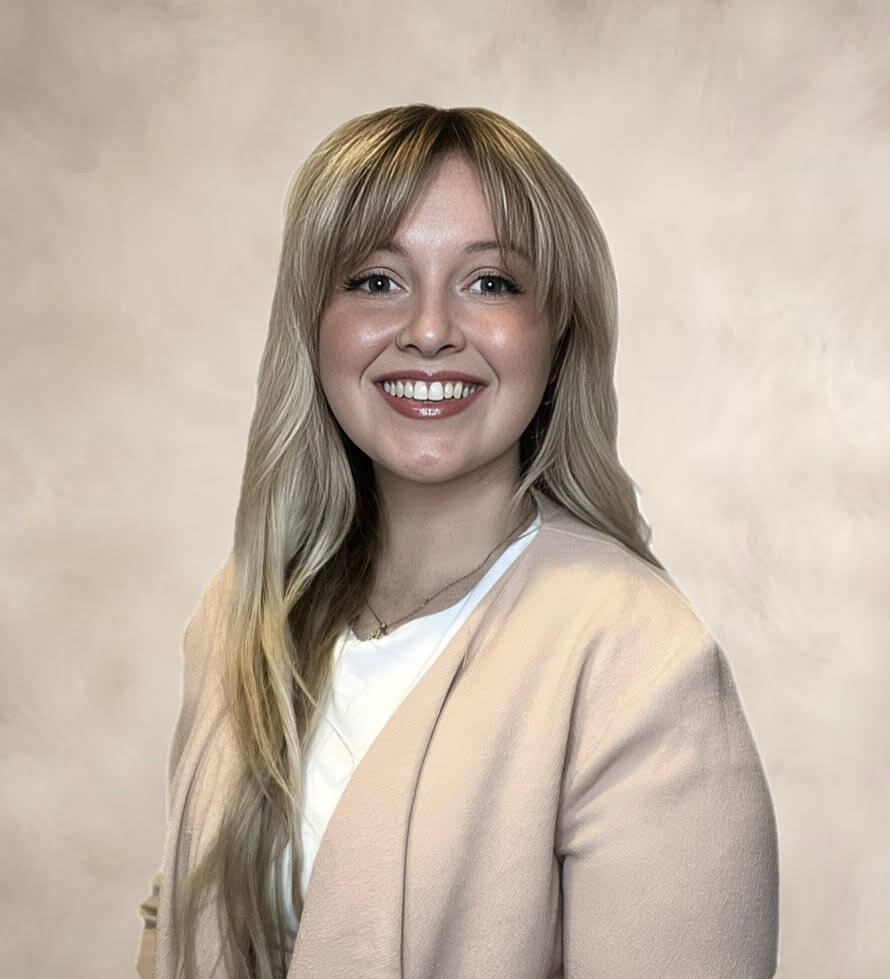
Hayley Conner
,
Ed.D, MSN, RN
Hayley Conner, Ed.D, MSN, RN, is a registered nurse and nursing educator with experience teaching in RN and LPN programs across classroom, simulation, clinical, and laboratory settings. She holds a master's degree in Nursing Education and a doctorate in Higher Education Leadership. Hayley works with UbiSim customers to support VR implementation. She is passionate about advancing innovative approaches that strengthen nursing education and student readiness for practice.

Debra Loop
,
DNP, MSN, RN, CNE, CHSE
Debra "Debbie" Loop, DNP, RN, CNE, CHSE, is a Nurse Educator at UbiSim with 37+ years in nursing education and 18 years specializing in simulation. She creates immersive VR scenarios that equip faculty with innovative teaching tools and empower learners to think critically, observe carefully, and practice safely.
Join Us

