
See How UbiSim Builds Clinical Judgment














FAQs
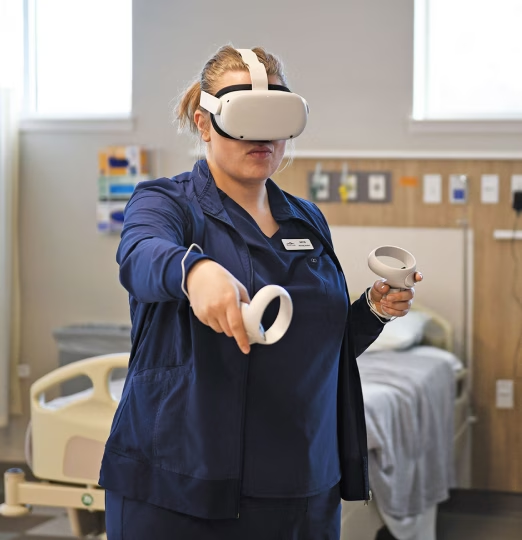
UbiSim works on the entire wireless Quest family of headsets, including Meta Quest 2, Meta Quest 3 and Meta Quest Pro. Headsets are not included with a UbiSim purchase.
Yes. UbiSim complements manikins with a scalable solution that incorporates teamwork, authentic communication/interaction, and clinical judgment within a virtual context.
Each scenario aligns with the Next Generation NCLEX-RN® test plan, the NCSBN Clinical Judgment Measurement Model, and the AACN Essentials Core Competencies for Professional Nursing Education.
Yes. Alongside UbiSim’s extensive catalog of scenarios, UbiSim offers the industry’s most intuitive scenario editing tool. Users are able to easily customize, create and share scenarios to meet unique program needs. Browse our extensive catalog.
UbiSim is adaptable for peer or faculty facilitation, offering scalability and flexible facilitation strategies that don't require skilled facilitators.
A dedicated Customer Success Manager will partner with you from day one, handling staff onboarding and platform configuration tailored to your program's size and structure. Most programs are up and running within a few weeks, backed by quick-start resources and ongoing support from our in-house customer support team.
Yes. UbiSim supports single sign-on via Microsoft Entra ID, with flexible rollout options including phased activation by role. Our team helps configure this during onboarding. In addition, we have completed a SOC 2 Type 2 audit, resulting in an unqualified report with zero exceptions, the highest level of assurance available. Ask your sales contact for access to the full report.
Both. UbiSim scales with you. Whether you're a single-campus nursing program or a multi-facility health system, the platform is built to grow alongside your program, and implementation packages and pricing are structured by size and complexity rather than a one-size-fits-all model. From a single sim lab to a system spanning multiple facilities, UbiSim is designed to meet you where you are and scale as your needs grow.